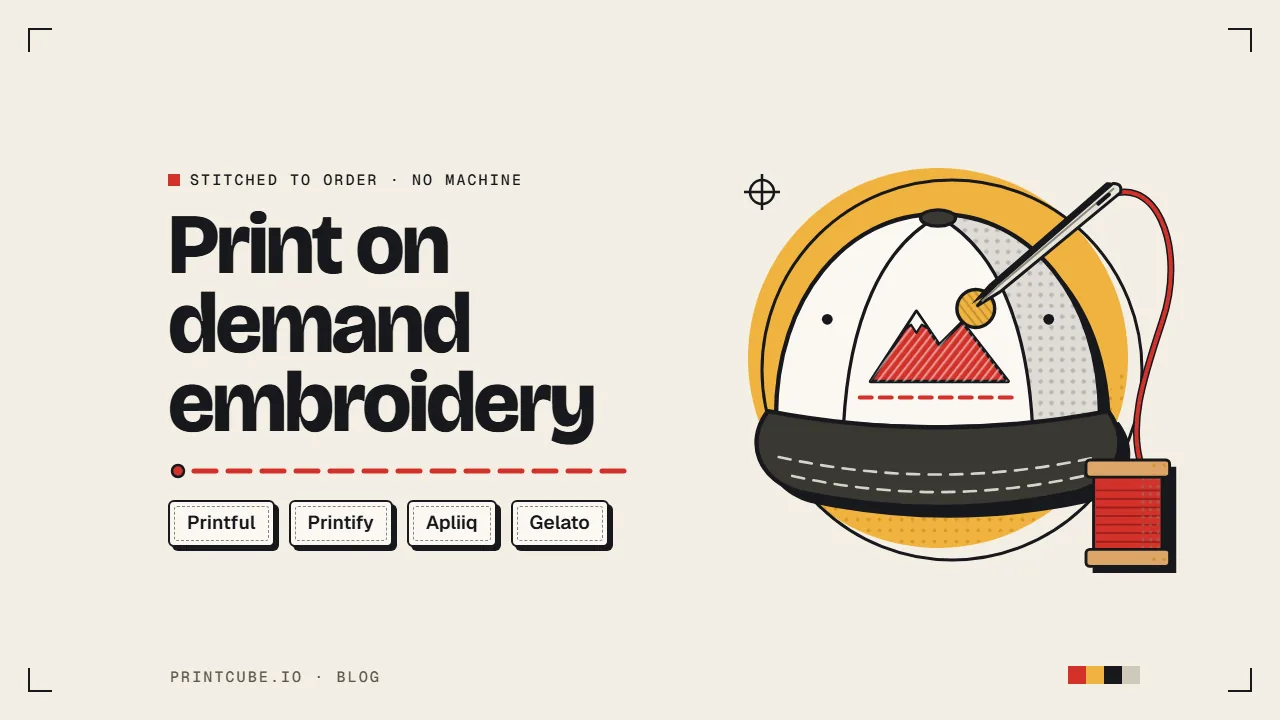

Yes, you can sell embroidered hats, hoodies and bags without owning a machine or buying a single blank. A print on demand supplier stitches each item after a customer orders it. You pay a bit more per item than you would for a printed tee, and usually a small one-time fee per design.
Yes, you can sell embroidery without a machine or stock
You list an embroidered cap in your Etsy or Shopify store. Nothing exists yet. When someone buys it, the order goes to your supplier, they stitch your logo onto a cap, and they ship it straight to your customer. You never touch the product.
The cost works differently from printing in two ways. First, an embroidered item costs you more than the same item printed. Second, most platforms charge a one-time fee to turn your artwork into a file the embroidery machine can read. On Printful, that fee is $6.50 for a standard design. You pay it once per design, not on every sale.
That fee is the part most new sellers don't expect. It's small, but it lands on your very first order, so it's worth understanding before you start.
How print on demand embroidery works
Behind the scenes, there are four steps:
- You upload your artwork. This is a normal image file, like the PNG you'd use for a printed shirt.
- The supplier digitizes it. Someone turns your image into a stitch file. That file tells the machine where each stitch goes, in what order, and in which thread color.
- It gets stitched when someone orders. The machine sews your design onto the blank product.
- It ships to your customer. Same as any other print on demand order.
The digitizing step is the big difference from printing. A printer can reproduce almost any image you give it. An embroidery machine can only follow stitch instructions, so your design has to be translated, and some designs translate badly.
Embroidery or printing: which suits your design
Printing costs less per item and handles almost anything: photos, gradients, tiny details, dozens of colors. If your design is a watercolor landscape or a detailed illustration, printing is the right call.
Embroidery costs more but looks and feels more premium. The thread sits up off the fabric, it has texture, and it doesn't crack or fade the way some prints can over time. Because of that, embroidered items can usually carry a higher price tag than printed ones.
The catch is that embroidery only suits certain designs. Bold, simple logos and short text look great. Fine detail, soft shading and photos don't work at all. If your best-selling printed design is a simple wordmark or a clean icon, it's probably a good candidate. If it's a busy illustration, it probably isn't.
Then there's that one-time fee, which changes how your first order looks.
Digitization fees and when you pay them again
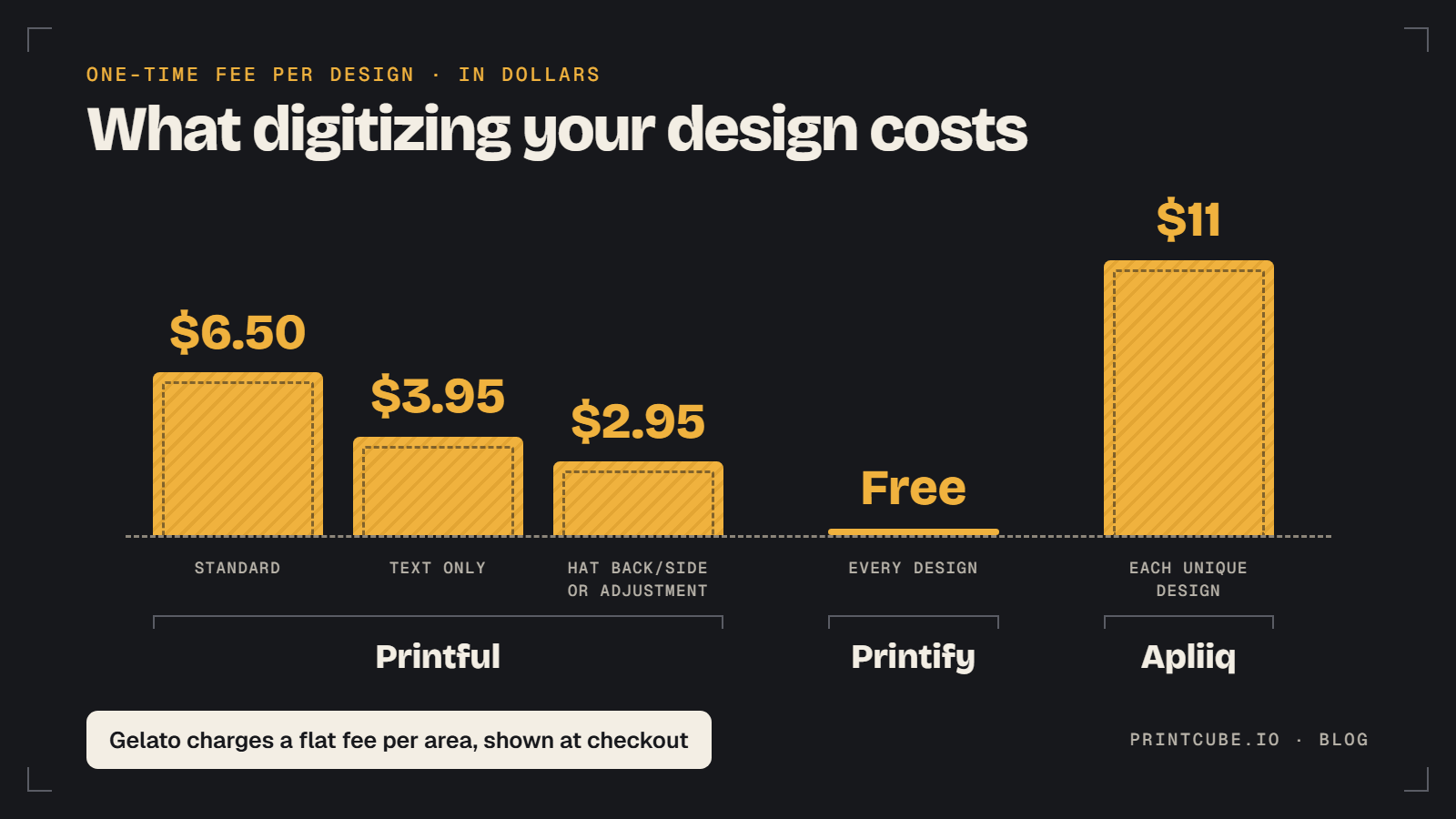
Digitizing is the job of converting your artwork into stitches. It's partly done by software and partly by a person who decides things like stitch direction and density so the design doesn't pucker or look messy. That work is why some platforms charge for it.
Here's what the four platforms charge:
- Printful: $6.50 for a standard design, $3.95 for a text-only design, and $2.95 for the back or side of a hat. If you order 25 or more embroidered items in one order, digitizing is free. That helps if you ever do bulk runs for a team or event.
- Printify: free. It takes up to 36 hours before production starts.
- Apliiq: $11 one time for each unique design, charged on its first order.
- Gelato: one flat fee for each embroidered area, charged once on your first order. Its embroidery FAQ doesn't give the amount, so you'll see it at checkout. Changing the thread colors counts as a new design.
When you pay again
On Printful, you'll pay a second time in a few situations:
- You add new elements to the design. A new word, a new icon or a changed layout counts as a new design, so it's the full fee again.
- You move the design to a different product type. A design digitized for a cap can't go straight onto a hoodie or tote. Moving it costs a $2.95 adjustment fee.
- You switch to 3D puff, or back to flat. A puff file has to be fully redigitized to work on apparel or bags.
Reusing the same design on the same kind of product, say another cap style, doesn't cost anything extra.
What your first sale costs on Printful, Printify and Apliiq
Say you've got a simple two-color mountain logo and you want it on the front of a baseball cap. To keep the math clean, ignore the cap's base price and shipping for a moment and look only at the extra embroidery costs.
On Printful, the catalog price already includes the embroidery. Your first order adds $6.50 for digitizing. After that, nothing. Spread across 10 sales, that's 65 cents per hat. Across 50, it's 13 cents.
On Printify, there's no digitizing fee. Your first cap costs the catalog price, and so does your tenth.
On Apliiq, the embroidery is priced separately from the blank: $10 for up to 15,000 stitches, which a small cap logo will easily stay under. Your first order also adds the $11 digitizing fee. Across 10 sales, that's $1.10 per hat on top of the $10 embroidery charge. Their dropship pricing guide shows how the blank and embroidery add up.
Now say the cap sells well and you want the same logo on a hoodie. On Printful, that's $2.95 for the adjustment, so you've spent $9.45 in total on digitizing across two products. On Printify, still nothing.
What this tells you: digitizing stings on order one and fades into the background after that. It only adds up if you keep tweaking designs, test lots of different logos that each sell once or twice, or move designs across many product types. If you're planning to test 20 designs to see what sticks, free digitizing matters a lot more than if you're launching one logo you plan to sell for a year.
Before you upload anything, though, check whether your design will stitch well at all.
Will your design work as embroidery?
Here's a quick example. Your design is a sunset with a soft orange-to-purple fade, a palm tree, and the words "Beach Days" in thin script underneath. As a printed tee, it's lovely. As embroidery, it fails twice:
- The gradient. Thread is one solid color. The machine can't blend orange into purple.
- The script. Thin, small script falls below the minimum text height, and the narrow strokes are too fine to stitch.
The fix is to swap the gradient for three or four flat bands of color, simplify the palm tree to a bold silhouette, and set the text in a thicker font at least a quarter inch tall. It's the same idea, redrawn for thread.
Run your own design through these checks.
Colors and the thread palette
Printful and Printify both allow up to 6 thread colors per design, chosen from a palette of 15. Any filled area or background counts toward those 6, so a white circle behind your logo uses one of your slots.
Photos are out completely, and so are gradients, shadows and soft shading. Use a transparent background so the machine doesn't stitch a box around your design.
The bigger trap is on Printify. You can't pick thread colors for uploaded artwork. Printify automatically matches each color in your file to the nearest of its 15 threads. If your brand uses a specific teal, it might come out noticeably greener or bluer. You only get to choose colors yourself for text you add in the editor. If exact brand colors matter to you, that's a real limitation. Printful gives you more say over which threads are used.
Sizes, text and lines
Grab a ruler or check your file at actual print size:
- Text: at least 0.25 inches tall.
- Lines: at least 0.05 inches thick, about the width of a thick marker line.
- Gaps: keep about 0.25 inches between separate elements on Printful so they don't merge into one blob of thread.
Embroidery areas are small. On Printify, a cap front is 4 by 2.25 inches, a beanie front is 5 by 1.75 inches, and a chest logo is 4 by 4 inches. Some hoodies, sweatshirts and jackets offer a large 10 by 6 inch area. If your design only looks good at 12 inches wide, it won't work on a cap.
Upload a PNG, JPEG or SVG. The Printify embroidery guide has the full list of areas by product if you want to check a specific item.
Flat, 3D puff and unlimited color embroidery
Flat embroidery is the standard. Thread lies flat against the fabric, it works on almost every product, and its cost is built into the catalog price on Printful and Printify.
3D puff stitches over a foam layer so the design stands up off the fabric, like the raised logos on many trucker and snapback caps. On Printful, it's for hats only and costs more than flat. Lines need to be between 0.2 and 0.5 inches thick, so it suits chunky letters and bold shapes rather than detail. You also can't mix puff and flat stitching in the same area. It looks great on caps and is worth it if your style leans streetwear or sporty.
Unlimited color embroidery on Printful lifts the 6-color cap and lets you use a wider range of shades, at an extra $3.95 per product. Neon and metallic threads aren't included, and it's only offered on some products. Use it when your logo needs more than 6 colors and simplifying it would ruin it. For most simple designs, flat is enough and keeps your margin healthier.
Which style makes sense depends a lot on what you're stitching onto.
What you can embroider, and where to start
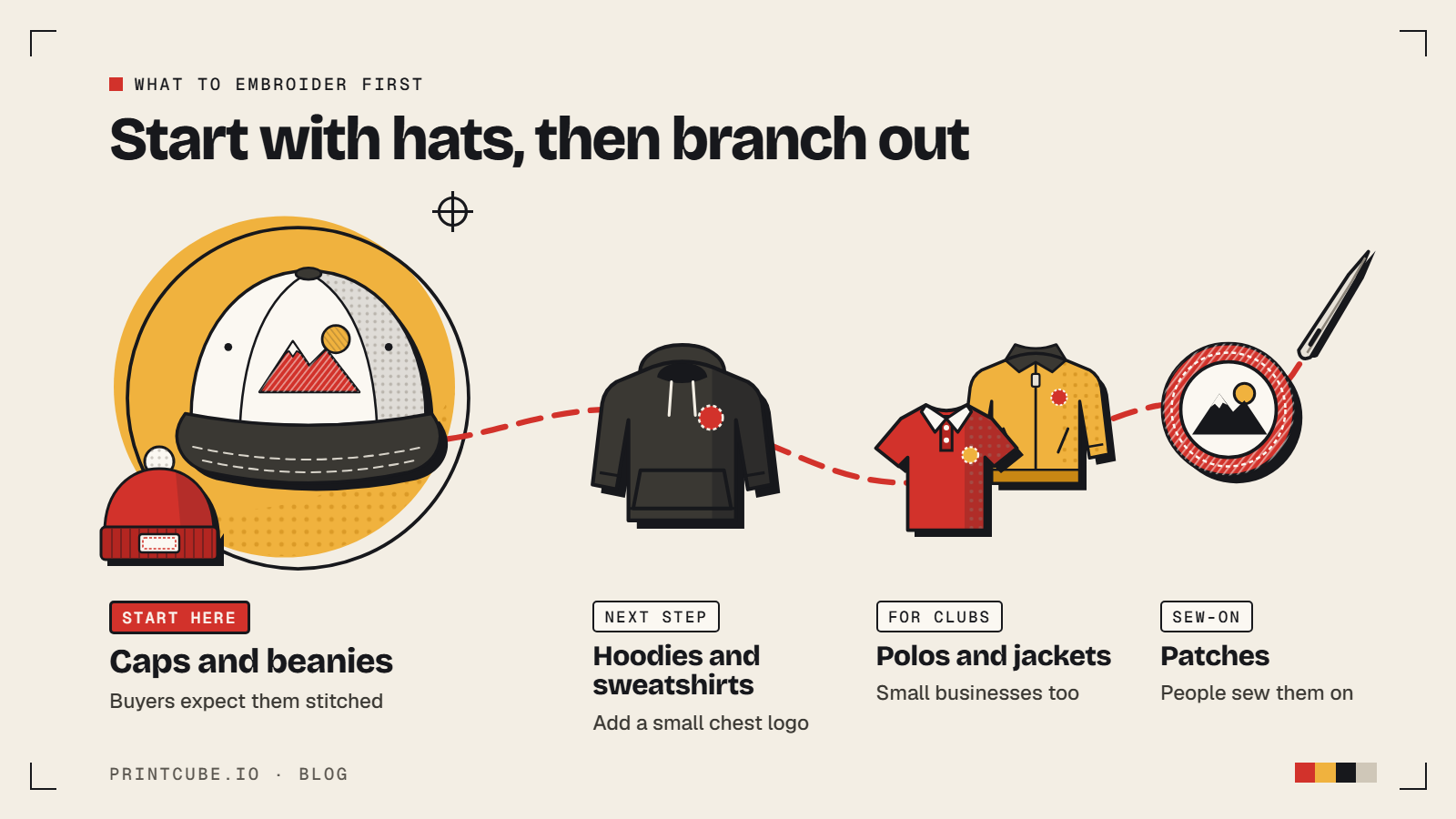
The common embroidered products across these platforms are:
- Hats: baseball caps, dad hats, snapbacks, trucker hats, bucket hats
- Beanies
- Hoodies and sweatshirts
- Polos and shirts
- Jackets
- Tote bags
- Patches
I'd start with hats for most sellers. Caps and beanies are almost always embroidered rather than printed, so customers expect stitching on them and see it as the normal, premium option. The design area is small, which forces simple designs that stitch well. There's no sizing to worry about, so you get fewer returns over fit. And a cap logo is a natural fit for the kind of bold, simple design that suits thread.
Hoodies and sweatshirts are a good second step, especially with a small chest logo. Polos and jackets suit sellers aiming at small businesses or clubs. Patches are handy if you want to sell something people can sew on themselves.
Printful vs Printify vs Apliiq vs Gelato
| Printful | Printify | Apliiq | Gelato | |
|---|---|---|---|---|
| Digitization fee | $6.50 standard, $3.95 text, $2.95 hat side/back or adjustment. Free on orders of 25+ items | Free | $11 once per design | One flat fee per embroidered area, charged once |
| Thread colors | Up to 6 from 15 | Up to 6 from 15 | Check site | Up to 6 from 15 |
| Pick your own thread colors? | Yes | Text only. Uploaded art is auto-matched | Check site | Yes |
| 3D puff / unlimited color | Both. Puff on hats only. Unlimited color +$3.95 | Check site | Check site | Flat embroidery only |
| Embroidery pricing | Included in catalog price | Included in catalog price, varies by provider | $10 up to 15,000 stitches, +$0.40 per extra 1,000 | Check site |
| Main embroidered products | Hats, beanies, hoodies, sweatshirts, shirts, polos, jackets, totes, patches | Hats, beanies, hoodies, sweatshirts, jackets and more | Streetwear-style apparel and hats | T-shirts, hoodies, sweatshirts, hats |
| Production time | About 2 to 5 business days | Up to 36 hours digitizing, then 2 to 7 business days | Check site | Up to 24 hours digitizing, counted in its delivery estimate |
| Best for | Control and extra styles | Testing on a budget | Small, simple streetwear designs | Sellers outside the US |
Printful suits sellers who want control. You pay for digitizing, but you get a say over thread colors, plus puff and unlimited color options. Most of its production runs in its own facilities, so quality tends to be consistent from order to order.
Printify suits beginners testing ideas. Free digitizing means you can try several designs without paying setup on each one. The trade-off is less color control. Quality and prices also vary by print provider, so check the provider's reviews and ratings, not just the product.
Apliiq suits streetwear brands. Pricing by stitch count rewards small, clean designs. A small chest logo stays inside the base $10. A big filled back design at 25,000 stitches adds $4.00. Outlines and open shapes use fewer stitches than solid fills, so design with that in mind.
Gelato is built around producing close to the customer in many countries, which can help if you sell mostly outside the US. Their embroidery range is narrower than the others, so check which products and regions they cover before you plan around it.
Which platform I'd pick for your first embroidered product
If you're new to embroidery and want to test whether it sells in your store, I'd start on Printify with a cap. Free digitizing means a design that flops costs you nothing to set up, and caps are the most forgiving product to start with. Just pick a print provider with solid ratings and keep your colors simple so the automatic thread matching doesn't surprise you.
If your brand depends on exact colors, or you want puff hats or more than 6 colors, I'd go with Printful. The $6.50 is a one-off that shrinks to pennies per item once a design sells steadily, and the extra control is worth it for a brand people should recognize.
If you run a streetwear label with small, clean logos, Apliiq is worth a look. If most of your customers are outside the US, compare Gelato's embroidery options for your main countries.
Whichever you choose, order a sample of your first design before you list it. Thread colors, stitch density and placement look different in person than on a mockup, and it's much better for you to find that out than for your first customer to.
FAQ
Can you do embroidery on Printify?
Yes. Printify offers embroidery on hats, beanies, hoodies, sweatshirts and other items, and digitizing is free. You can't pick thread colors for uploaded artwork, though. They're matched to the nearest thread automatically.
Do I pay the digitization fee every time someone orders?
No. You pay it once per design, on the first order. On Printful, you pay again only if you change the design, move it to a different product type, or switch between puff and flat.
Can I upload my own DST or PES file?
Printify doesn't accept stitch files. You upload a PNG, JPEG or SVG and they digitize it. Most print on demand platforms work the same way, so plan on uploading regular artwork.
Is embroidery more expensive than printing?
Yes. Per item, it costs you more, and there's often a one-time digitizing fee as well. Embroidered products can usually carry a higher price, though, so the gap in your margin may be smaller than the gap in cost.